Rebirth M Account Deletion Guide
How to delete your Rebirth M account and game data (developed and operated by Caret Games).
✅ How to request
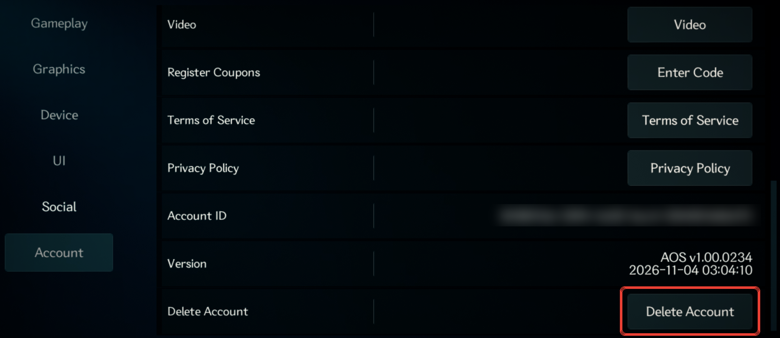
- In the game: Settings → Account → “Delete Account” → enter the confirmation text shown on the screen to send the request.
- On the web (on PC/Steam, or if you can't get into the game): tap “Request account deletion” below and apply at Support. If you can get into the game, we confirm it's you with a 6-digit code sent to your character's in-game mail. If you can't, our team checks it directly with details such as your payment order number.
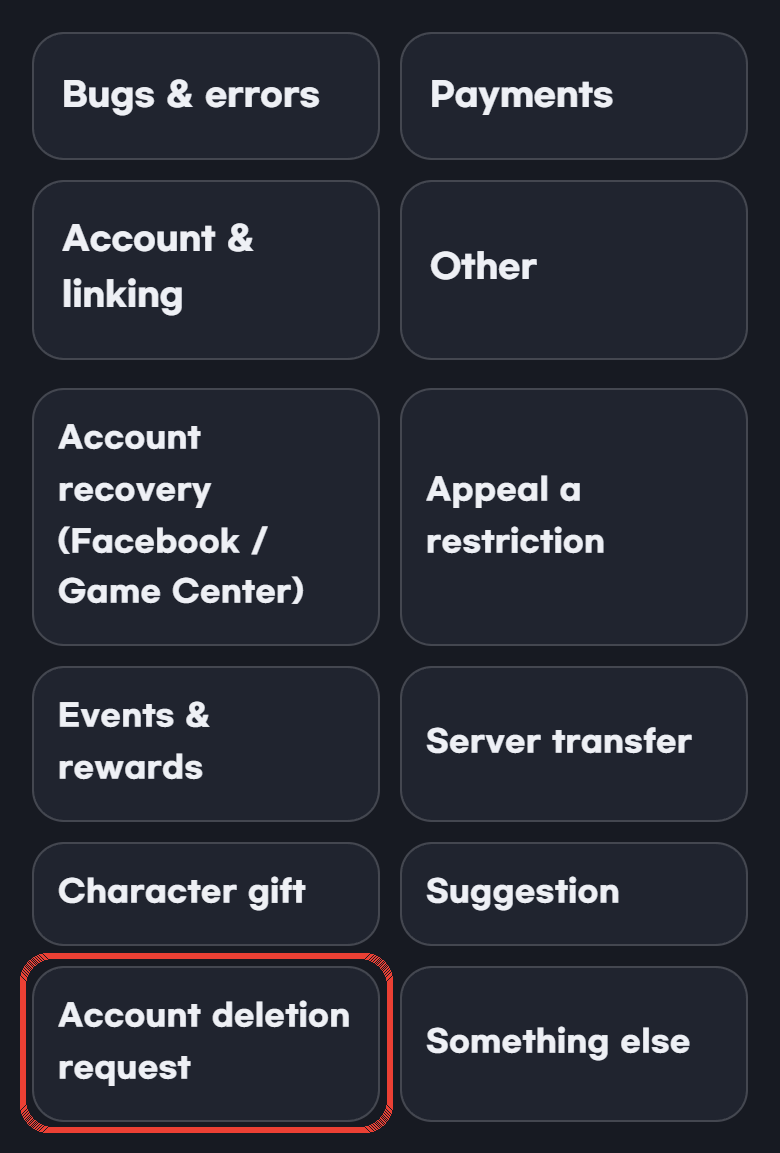
On the Support home screen, it's under “Other” → “Account deletion request”.
🗑️ What is deleted
- Your account and login links · characters on all servers · items · currency · mail · friends · guild records · ranking records
📌 What we keep by law (Privacy Policy, Section 5)
- Records for disputes after you leave: 30 days
- Records of payments and supply of currency: 5 years (Act on the Consumer Protection in Electronic Commerce)
- Records of consumer complaints and dispute handling: 3 years (Act on the Consumer Protection in Electronic Commerce)
- Access logs: 3 months (Protection of Communications Secrets Act)
Please note
- Accounts are deleted in order once 30 days have passed after we receive the request. Processing may take longer.
- A deleted account can't be restored, and purchased items and currency can't be refunded.
- If you are a guild leader, please hand over guild leadership to another member first.
- If you sign in again with the same login, you'll start with a new account.
- To delete just one character, use “Delete” on the character selection screen.